
molab, now with GPUs!
We’ve upgraded molab, our cloud-hosted marimo notebook workspace, to run natively on CoreWeave Cloud. Users now get powerful GPUs, more CPU and RAM, faster startup times, and 12 hour sessions. This new version of molab is available today as part of a public preview.
Our public preview launches with many new features. Connect agents like Claude Code, Codex, or OpenCode to running notebooks with marimo pair, or use our built-in AI assistance powered by Weights and Biases Inference. Sharing is improved across the board: mirror notebooks from GitHub, share as slides or apps, embed in webpages, and fork from our gallery. Notebooks on molab are public but not discoverable by default, like GitHub Gists.
We’re providing molab — GPUs and all — for free, as long as usage is reasonable.
#A new compute plane with GPUs
molab notebooks now run in CoreWeave sandboxes, allowing us to provide more compute, RAM, and stability. By default, each notebook runs with 4 CPUs and 32 GB of RAM.
GPUs. You can now attach an NVIDIA RTX Pro 6000 Blackwell GPU, with 96GB of VRAM and 125 TFLOPS, to any notebook.
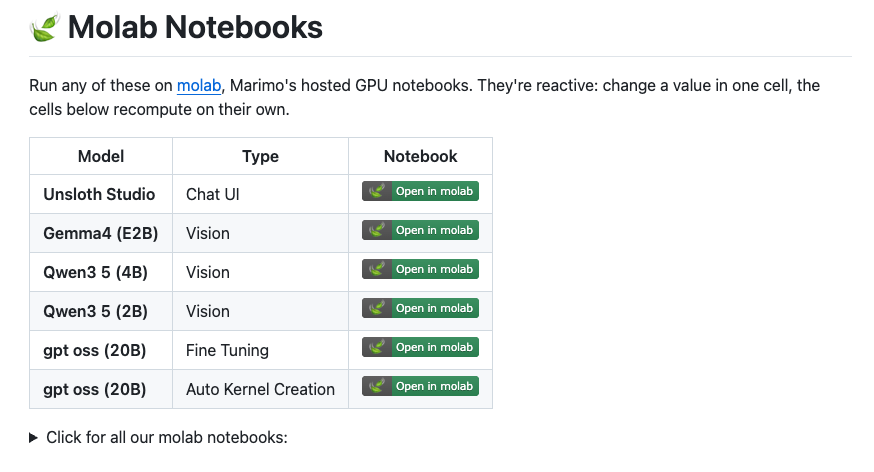
GPUs unlock new use cases: finetune open-source models using Unsloth’s official molab notebooks; learn how world models work with Machine Learning at Berkeley President Tejas Prabhune’s notebook; or tackle compute intensive problems in the physical sciences, as in this notebook on digital twin design by Axiomatic AI.
Longer sessions. We now support long running notebooks — notebooks can run for as long as 12 hours before molab shuts them down. Notebooks that are idle for more than 90 minutes are automatically shut down.
Fast startups. molab notebooks — which are containers running marimo, preloaded with popular packages for AI, ML, and computational science — start up much faster than they previously did. Start coding in just a few seconds.
#Other new features
#Pair on notebooks with AI
You can bring AI coding tools to bear on molab notebooks in two ways: control notebooks with your favorite agent, or use our built-in free AI assistance (or both!).
Connect agents to molab with marimo pair. Connect your favorite coding agent to a running marimo notebook using the marimo pair skill. Install the skill locally, then copy the prompt that shows up when you select the “Pair with an agent” menu item from the notebook menu:
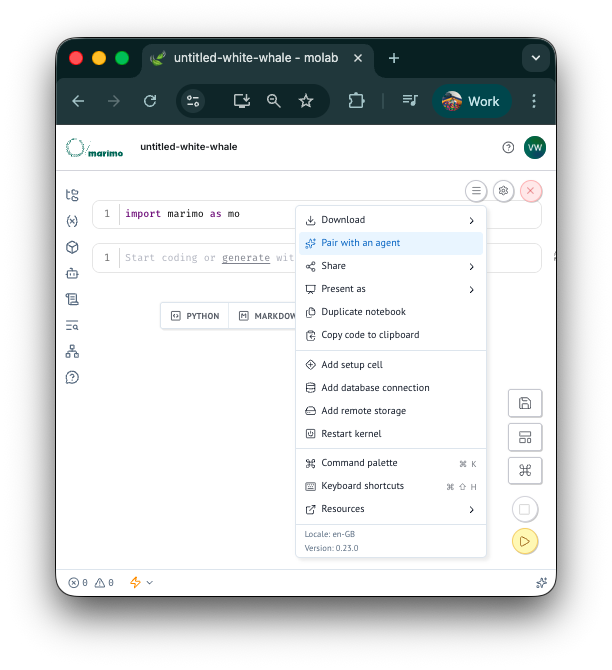
marimo pair transforms marimo into a collaborative canvas for you and your agent. It can do anything you can do — including writing code, installing packages, manipulating UI widgets — and more. Learn more at our docs.
Ultra-fast LLM assistance in the marimo editor. The marimo editor has AI features integrated throughout, including the ability to refactor existing cells and generate new ones. In molab we provide free access to open-source models hosted on Weights and Biases Inference, including the blazingly fast Kimi-K2.6.
#Sharing
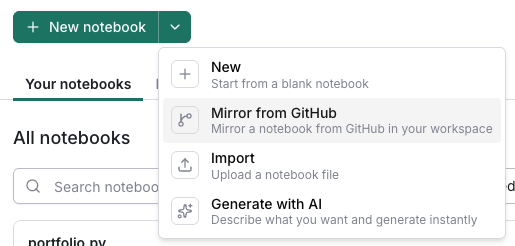
Mirror notebooks from GitHub. From the molab user interface, you can add notebooks from GitHub; these “synchronized” notebooks use GitHub as their source of truth, letting you develop locally, push changes up, and see them reflected in molab automatically. GitHub notebooks can be previewed statically or run on an ephemeral server. Learn more at our docs.
Share notebooks as interactive slides or data apps. Every notebook can be shared as interactive slides or a data app. Just choose “Run as app” from the share button on any running notebook. To configure a notebook as slides, first toggle the app preview of a notebook then select “slides” from the view dropdown near the top of the page.
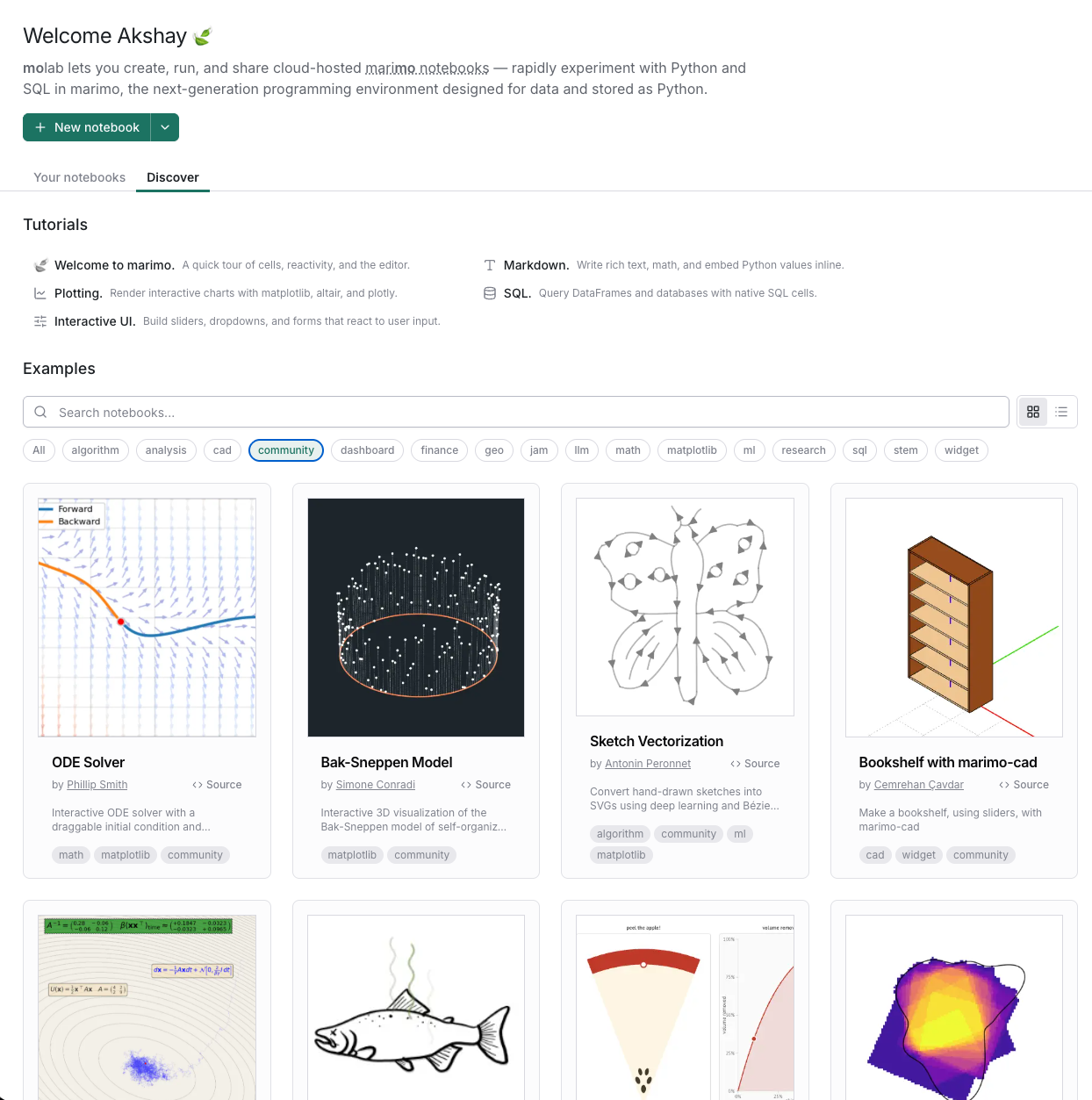
Discover notebooks from the community. The molab landing page now includes a Discover tab, showcasing stellar notebooks by our community. Share your notebooks on socials and tag us for a chance to be featured!
Embed executable notebooks in webpages. You can embed interactive molab notebooks in your own webpages using iframes. Obtain iframe snippets by clicking the share button on WebAssembly previews of GitHub-hosted molab notebooks. For example, the below notebook is running in your browser!
As always, learn more at our docs.
#What’s next
We’re making molab the best cloud-hosted development environment for AI, ML, and computational science, and we’re designing for humans and agents alike. In the coming weeks and months, we plan to add seamless integration with Google Drive and other storage providers, a streamlined local-to-remote-and-back development workflow, reproducible and configurable environment management, and many other features. Stay tuned!