
marimo is doing another launch week

Vincent Warmerdam
@koaning

Trevor Manz
@trevmanz

Shahmir
@shahmir

Péter Gyarmati
@peter-gy

Myles
@themylesfiles
We're back for round two. One week, five announcements. Can you guess what's coming?

It’s been a few months since our first launch week and we’re back for round two. On the 28th of September we’re kicking off marimo’s second launch week. That means five new product announcements, one for every day of the week. You can expect a mix of new features, integrations, and new ways of working with your notebooks. And maybe even a whole new product!
#What to expect
We’re keeping the announcements a surprise but, as always, we thought it’d be fun to let you guess ahead of time. So we’re going to turn it into a fun little game.
Head over to Reddit or Discord and share your best (or wildest?) theories on what we’ll announce. We’ll send some special swag to whoever gets closest (or has the most inspired guess)!
Come back here each day next week to see what’s new, or follow along on socials (LinkedIn, X/Twitter, Bluesky) for real-time updates.
Happy Launch Week!
#Monday: Pixi has landed!
You can now use Pixi as a sandbox environment for marimo notebooks. This new integration lets you go beyond Python dependencies so you can declare tools like ffmpeg to be part of your notebook.
You can benefit from it today by adding metadata at the top of your notebook file.
# /// script
# requires-python = ">=3.12,<3.13"
# dependencies = ["marimo>=0.25.0", "openai-whisper>=20250625"]
#
# [tool.pixi.workspace]
# channels = ["conda-forge"]
#
# [tool.pixi.dependencies]
# ffmpeg = "*"
# pytorch-gpu = "*"
# ///
Pixi is really good at managing CUDA-enabled PyTorch. Adding
pytorch-gpuwill guarantee the CUDA-enabled PyTorch for your machine, without extra index weirdness.
From here, Pixi can pick up everything you need.
pixi exec marimo edit --sandbox=pixi https://raw.githubusercontent.com/marimo-team/marimo/main/examples/misc/pixi_whisper.py
If you’re keen to go deeper, check out the announcement blog post where Trevor explains all the details.
#Tuesday: more storage options!
marimo now supports the storage backends from fsspec. That adds GitHub, HuggingFace, Hadoop, SSH, and many more.
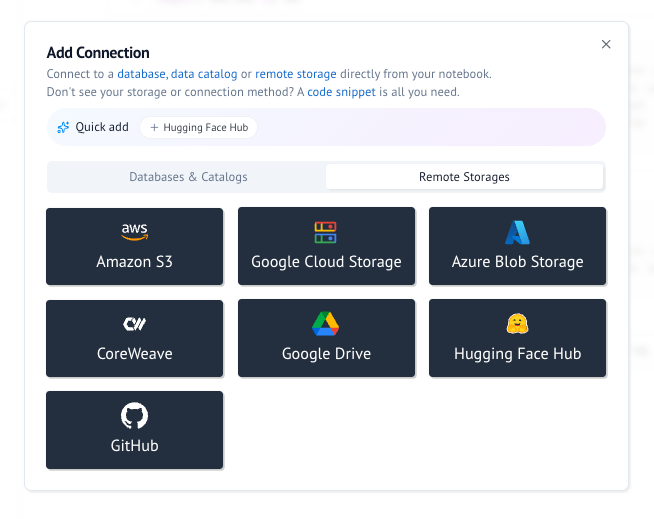
This matters most for molab notebooks that read from a public dataset. You no longer need to upload a copy of the data to molab: the notebook reads directly from the source. When the dataset changes, the next run of the notebook uses the new data.
To learn more about our work on remote storage, read this blog post.
#Wednesday: show, don’t tell.
marimo now supports marimo lens. It is a new widget that lets you mark any output in your notebook and leave a note for your agent. This way, you won’t have to describe what you’re looking at to the agent, you can just point and click. The agent gets your note, what you marked, and the cell that produced that output along with the cells it depends on in marimo’s dataflow graph.
That means “make this bar orange” is enough: you don’t have to explain which cell and which chart you mean.
To try it, add marimo lens to your project and follow the getting started guide to connect your agent.
uv add marimo-lensTo learn how it all works under the hood, read the announcement blog post where Péter explains the details. We also have a new YouTube video with a full demo.
#Thursday: one notebook, many views.
marimo now has marimo-studio. Studio lets you build separate views of your notebook. That means one notebook can emit a slide deck for a lecture, an article for readers, an infographic that tells a story or a dashboard for your team. Each view is a normal frontend project in a folder next to the notebook. You can use it with plain HTML, custom CSS libraries, React, Svelte, or any other framework.
Every number and figure in a view comes from a named cell in the notebook. These views are also synced with the notebook. When you change a control in a view, marimo reruns the cells that depend on it and the view updates. Views can export as static files that support WASM, so you can host them on GitHub Pages without a Python runtime.
One notebook with three views: a lecture deck, an explainer, and a lab.
This new tool is great with coding agents. To try it, give this instruction to your coding agent:
Run `uvx --with marimo-studio agent-plugins read marimo-studio`
and create a scrolly-telling report and a slide deck explaining calculus basics.
To learn how it works, read the announcement blog post where Péter explains the details or check out the documentation https://marimo-team.github.io/marimo-studio/. We also have a new YouTube video with a full demo.
#Friday: the hub has landed.
Today we’re releasing marimohub, an open-source platform for teams that you can host on your own infrastructure. It’s a great way to collaborate on notebooks, but the main feature is that it is designed to be easy to maintain. There is no database required.
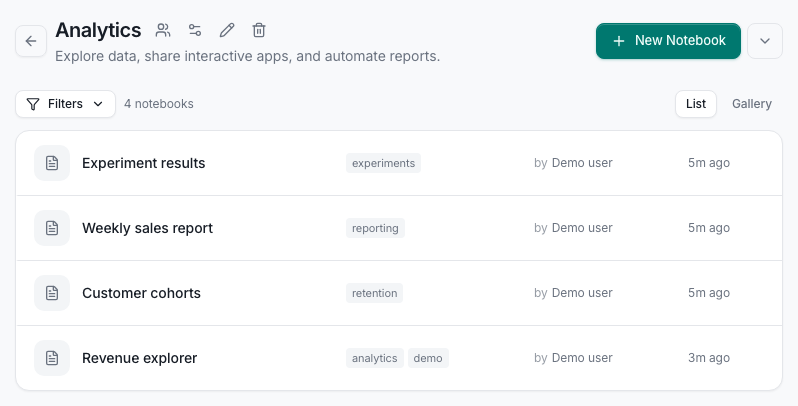
To run marimohub you choose the compute, storage, and identity providers. Once configured marimohub connects them into one system. For storage you can pick any S3-compatible provider or use disk on a VM. For compute your can use kubernetes, docker, CoreWeave Sandboxes, modal and many more providers. For authentication you can use OpenID Connect or your SSO proxy for identity. There is no database to manage, you only need to configure these providers.
To learn how it works, read the announcement blog post where Myles explains the details, or check out the documentation.
We also have a live demo in our latest YouTube video.
#See you next time!
That’s all for our second launch week. Thanks for following along, and keep your eyes open for the next one!