
marimo is doing a launch week

Vincent Warmerdam
@koaning

Kiran Gadhave
@kirangadhave

Péter Gyarmati
@peter-gy

Trevor Manz
@trevmanz

Shahmir
@shahmir
One week. Five announcements. Can you guess what's coming?

Next Monday, July 20, 2026, we’re kicking off marimo’s first-ever launch week. Over the next five days, we’ll be sharing five new product announcements, spanning a mix of new features, integrations, and entirely new ways of working with your notebooks.
Why now? We’ve been hiring and shipping fast. Five of our teammates have exciting updates to share and we wanted to give the community a proper look at everything we’ve been building.
#What to expect
We’re keeping the announcements a surprise, but we thought it’d be fun to let you guess ahead of time. So we’re going to turn it into a fun little game.
Head over to Reddit or Discord and share your best (or wildest?) theories on what we’ll announce. We’ll send some special swag to whoever gets closest (or has the most inspired guess)!
Come back here each day next week to see what’s new, or follow along on socials (LinkedIn, X/Twitter, Bluesky for real-time updates.
Happy Launch Week!
#Monday: let’s pair
marimo-pair, the skill that gives agents direct access to marimo notebooks, has a new home. It has only been out for a few months but we wanted to communicate that it is core to the agentic story for marimo going forward. It’s simply been amazing to work with and we want to spread the word.
Besides a new homepage, pair is now also available in the Claude Code and Codex CLI marketplaces, and today’s release of the VS Code/Cursor extension integrates directly with the native notebook editor.
If you want to learn more about how marimo-pair was created and how it works, you’ll enjoy reading our latest blogpost where Trevor explains all the details.
#Tuesday: marimo anywhere
Today we’re making it easy to bring reactive marimo cells to the sites you already publish. Three new open-source integrations — quarto-marimo, jupyter-book-marimo, and mdx-marimo — let you weave live, reactive Python into Quarto sites, Jupyter Books, and anything built with MDX.
To learn all about these new features, go and check out today’s blogpost.
#Tuesday: marimo Glance
That’s right! Two announcements on one day!
Ever wished the GitHub UI rendered marimo notebooks as proper notebooks rather than raw Python files?
We built a Chrome extension called marimo Glance that replaces the raw Python file with a live, interactive WASM notebook in place (only WASM-compatible notebooks are supported). It works on GitHub, gists, and GitLab.
Your code also stays on your machine. The notebook source is packed into the page URL’s fragment (the part after #) and handed straight to the in-browser WebAssembly runtime. Browsers never send that fragment to any server, so your code is never uploaded by the extension. The one exception is if you deliberately choose “Open in molab” from inside the notebook, which sends your code to molab to run and share there.
You can install it in Chrome or Firefox. Give it a spin and let us know what you think!
If you need an example, you can try this GitHub Gist.
#Wednesday: marimo in PyCharm
PyCharm support here! The marimo plugin for PyCharm brings reactive notebooks to PyCharm or any other JetBrains IDE. You can easily add a notebook to an existing project, import your library code, and watch cells update within the editor.
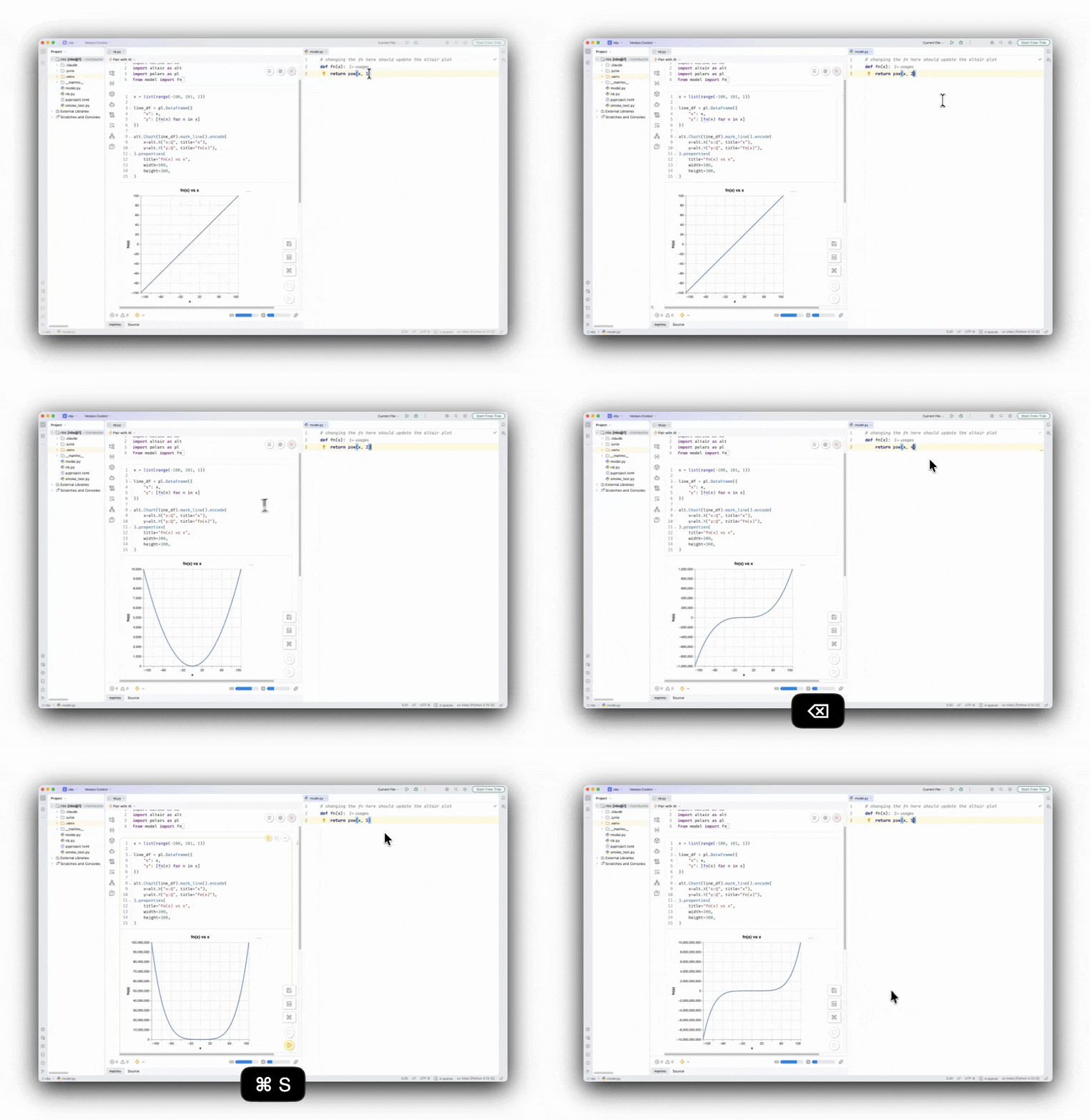
For the full story — sandbox mode, agent pairing, and more — read today’s blogpost where Kiran walks through all the details.
For a quick demo, you can also check out our latest YouTube video.
#Thursday: eight new widgets
We’re happy to release a new batch of amazing widgets via the experimental wigglystuff library.
We can’t go over all these new widgets here, but we can highlight one that is special.
WidgetDAG turns an entire notebook — a paint canvas, kernels and convolutions — into a live, reactive graph.The thing that’s special about the widget is how you call it.
# The order of the variables in the list does not matter
WidgetDAG.from_widgets([paint, angle, kernel, conv, kernel2, conv2])
All the inputs to that widget are variables in the marimo notebook.
In many ways it’s really similar to a call to mo.hstack but the widget
can leverage marimo to figure out in what order the variables were defined.
That means that it can automatically make a DAG that highlights the
order in which things run.
This is amazing! You can now build a widget that can genuinely act as a summary of what is happening in the notebook. It’s special not just because it helps you understand your program, but also because it highlights how valuable the reactive design is in the marimo notebook. If you want to be able to make widgets like this you need that primivite.
This is merely one of the new widgets that are out today, and if you want to learn more and see some bespoke demos, check out our latest video on YouTube.
#Friday: notebooks as slides
marimo notebooks are already great to share — as scripts, static HTML, and deployed apps. Today we’re announcing one more: present them as live, interactive slides. Interact with widgets, edit and re-run code mid-talk, and author the whole deck without leaving presentation mode.
You can even present them via WASM as an iframe!
And you don’t just present — you author the whole deck from a dedicated editor, complete with a minimap, slide canvas, and config panel.
To learn all about the revamped slides experience, check out today’s blogpost. But we also have a dedicated YouTube video that goes over all the features.
#See you next time!
That’s all for our first launch week. Keep your eyes open for the next one!