CopyToClipboard
by marimo team
A utility widget for copying content to the clipboard.
About this notebook
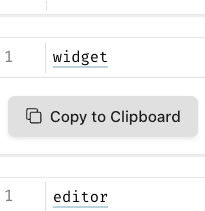
This notebook shows the CopyToClipboard widget from the wigglystuff library. It uses only marimo and wigglystuff. There is no dataset. The notebook starts with a default text snippet, the string "pip install wigglystuff". It wraps this text in a copy button and pairs the button with a text area for editing.
The reader types into the text area to change the text to copy. The notebook writes the text area value back to the widget. A callout tells the reader to click the button to copy the payload. Below the callout, the notebook shows the current text in a code block. The notebook truncates the preview to 77 characters plus an ellipsis when the text reaches 80 characters or more.
The copy button uses marimo's anywidget integration through mo.ui.anywidget. When the reader clicks the button, the browser copies the current text to the clipboard.