Bookshelf with marimo-cad
Make a bookshelf, using sliders, with marimo-cad
About this notebook
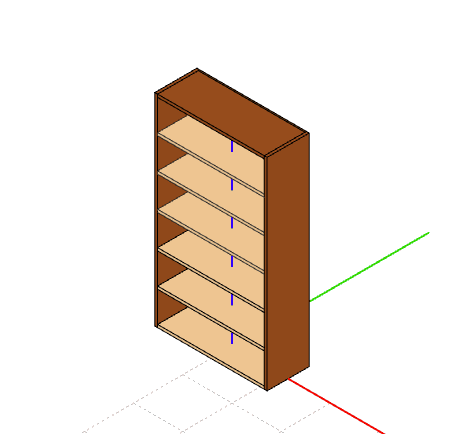
This notebook builds a parametric bookshelf as a 3D solid model with build123d and shows it in a marimo-cad viewer. Every panel is a build123d Box placed with a Pos transform: two sides, a back, a top, a bottom shelf, and the internal shelves. Each part has its own name and color in the viewer.
Two marimo sliders control the model. One slider sets the number of shelves, from two to eight. The other sets the height, from 60 to 200 cm. When you move a slider, marimo re-runs the cell that builds the parts and the viewer renders the new model. The viewer keeps the camera position between renders, so the model does not jump when you change a parameter.
The build_bookshelf function computes the geometry from the two slider values. The width, depth, and panel thickness are fixed constants in centimeters. The function spaces the internal shelves evenly over the available height and returns the parts as a list of shape, name, and color entries, which the viewer renders.