Trimesh demo
by marimo team
Grab 2D slices using trimesh, a Python library to work with 3D files.
About this notebook
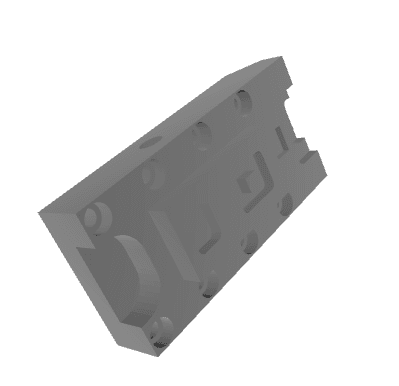
This notebook loads a 3D model with the trimesh library and shows it in the browser. The model is featuretype.STL, an example mesh from the trimesh project. The notebook downloads the file from the trimesh GitHub repository the first time you run it. It also imports numpy, scipy, shapely, networkx, and rtree, which trimesh uses for geometry work.
The notebook first renders the full 3D mesh. Below the mesh you find a slider labeled "cutoff". The slider moves a cutting plane up and down through the model. When you move the slider, the notebook computes a flat cross-section at that height. It then shows the 2D outline of the slice. This lets you read the shape of the object at each level.
The slice works from the mesh centroid. The code offsets the origin along the z axis by the slider value. It then calls the section method with a plane normal that points up the z axis. The slider uses debounce, so the notebook waits for you to stop dragging before it recomputes the slice.