About this notebook
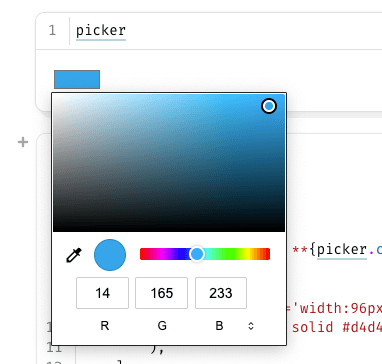
This notebook shows a color picker widget in marimo. It uses the ColorPicker element from the wigglystuff library. The notebook also imports marimo and the standard random module. There is no dataset. The picker starts with the color set to hex #0ea5e9. marimo wraps the widget with mo.ui.anywidget.
You choose a color in the picker. The notebook reads the current value and shows it as text. It prints the hex code and the matching RGB numbers. It also draws a small square filled with the chosen color. A "Surprise me" button sets the color to a random hex value. When you press the button, the picker and the readouts update.
The random color comes from random.randint over the range 0 to 0xFFFFFF. The code formats that number as a six digit hex string. The picker shows hex labels by default. You can set show_label=False to hide them.